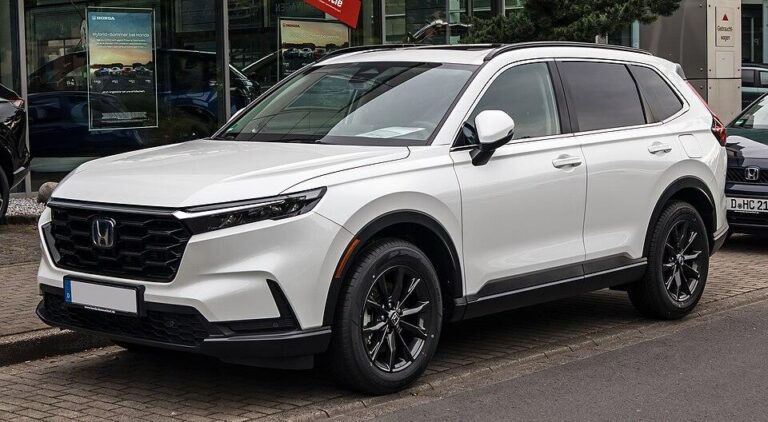
Honda CR-V Key Fob Battery Replacement (Step by Step)
The Honda CR-V smart key fob uses a single CR2032 3-volt coin battery on 2017–2022 and 2023-and-newer models. To replace it, slide out the built-in metal key, use a cloth-wrapped coin or small flat screwdriver in the slot to split the case, swap the battery with the same side facing up, and snap the halves back together. It takes about five minutes and costs only the price of the battery.
Below you will find the battery type by model year, a step-by-step walkthrough, the signs of a weak fob battery, and how to start the CR-V if the fob dies before you can replace it.

Which Battery Does Your CR-V Key Fob Use?
Honda’s smart key fobs for the fifth- and sixth-generation CR-V both take a CR2032. The fob part numbers and FCC IDs differ, but the battery is the same.
| Model years | Fob type | FCC ID (printed on the fob) | Battery |
|---|---|---|---|
| 2017–2022 | Smart key with built-in emergency key | KR5V2X | CR2032 |
| 2023 and newer | Smart key with built-in emergency key | KR5TP-4 | CR2032 |
| 2016 and earlier | Varies by trim (keyed remote or smart key) | Varies | Check the cell’s markings or your owner’s manual |
If you own an older CR-V, open the fob first and read the code stamped on the old cell before buying a new one. Coin cells that look alike (CR2025, CR2016, CR1616) differ in thickness and capacity, and the wrong one may rattle or not make contact.
Signs Your Key Fob Battery Is Getting Weak
- You have to stand closer to the CR-V than usual for the lock and unlock buttons to work.
- The door handle sensors (touch-to-unlock) only respond some of the time.
- Remote start fails or needs several tries. See our CR-V remote start guide for other causes.
- The fob’s indicator light is dim or does not light when you press a button.
- The driver display shows a message that the key cannot be detected when you press ENGINE START/STOP.
These symptoms build up slowly. Most owners get a few weeks of warning before the fob stops working entirely. If several electrical systems act up at the same time, the problem may be the main 12-volt battery instead. Our Honda CR-V dead battery guide explains how to tell the difference.
What You Need
- One new CR2032 3-volt lithium coin cell (buy a name brand, and check the expiry date on the package).
- A small flat-blade screwdriver or a coin.
- A soft cloth or a piece of tape to wrap the tool tip so it does not scratch the case.
- A clean, flat surface, so small buttons and the rubber seal do not get lost.
How to Replace the CR-V Key Fob Battery
These steps follow Honda’s owner’s-manual procedure for its keyless remotes and apply to the 2017-and-newer CR-V smart keys.
- Remove the built-in key. Slide the release knob on the back or side of the fob and pull out the metal emergency key. This opens up the slot you will use to split the case.
- Wrap your tool. Wrap the tip of a coin or small flat screwdriver in a cloth or tape.
- Split the case. Insert the tool into the notch exposed by removing the key and twist gently to pry the edge up. Work your way along the seam until the two halves separate. Do not force it. If it resists, check that you are in the correct notch.
- Keep the parts together. Lift the cover off slowly so the button pad and circuit board do not fall out.
- Note the orientation. Before you touch the old battery, look at which side (the one marked “+”) faces up. Taking a quick photo helps.
- Remove the old cell. Use the small screwdriver to lift the battery out of its holder. Avoid bending the metal contacts.
- Insert the new CR2032. Hold it by the edges, not the flat faces, and seat it with the same polarity as the old one.
- Reassemble. Line up the two halves and press around the edge until they click together all the way round. Slide the metal key back in until it locks.
- Test it. Lock and unlock the CR-V, try the tailgate button if your fob has one, and start the vehicle.
You do not need to reprogram the fob after a battery change. The pairing with the vehicle is stored in the fob’s chip and the CR-V’s immobilizer, not in the battery. If the fob still does not work after a fresh battery, check the polarity and the contacts. If those are fine, the fob itself may be damaged and a dealer or locksmith will need to program a replacement.
How to Start the CR-V When the Fob Battery Is Dead
A dead fob battery will not strand you. The fob’s immobilizer chip can still be read at very close range.
- Unlock the driver’s door with the built-in metal key. On some models the keyhole is hidden under a small cover on the door handle.
- Get in and close the door. The security alarm may sound when you open the door with the key; it stops once the vehicle starts.
- Press the brake pedal.
- Hold the fob, logo side first, against the ENGINE START/STOP button and press the button with the fob. The CR-V should start.
- Replace the fob battery as soon as you can.
Your owner’s manual shows the exact method for your model year under “If the smart entry remote battery is weak” or a similar heading.
Tips to Make Fob Batteries Last
- Store the spare away from the CR-V. A spare fob left inside the vehicle can stop remote start from working, and it is a security risk if the vehicle is stolen or broken into.
- Replace both fobs at once. If one is weak, the spare is usually not far behind. Coin cells are cheap, and doing both saves a second job.
- Note the date. Write the replacement date in your maintenance log. Our CR-V maintenance schedule is a good place to keep track of small jobs like this.
FAQ
What battery does a 2020 Honda CR-V key fob take?
A CR2032 3-volt coin cell. The same battery is used in the 2017–2022 smart key and in the 2023-and-newer smart key.
Do I need to reprogram my CR-V key after changing the battery?
No. The fob keeps its pairing with the vehicle when the battery is removed. Programming is only needed for a new or replacement fob.
Can a dealer replace the key fob battery?
Yes, any Honda service department can do it, often while you wait. It is also one of the easiest DIY jobs on the vehicle. See our DIY Honda CR-V maintenance guide for other simple tasks you can handle at home.
How long does a CR-V fob battery last?
It depends on how often you use the fob and where you store it. There is no fixed interval from Honda. Replace it when you notice reduced range or the start-up “key not detected” message.
Conclusion
For any 2017-or-newer CR-V, buy a CR2032, remove the emergency key, split the case at the notch, match the polarity and snap it back together. Keep a spare cell at home (heat in a parked car shortens coin-cell life), and remember that you can still unlock with the metal key and start by pressing the fob against the start button if the battery dies first.